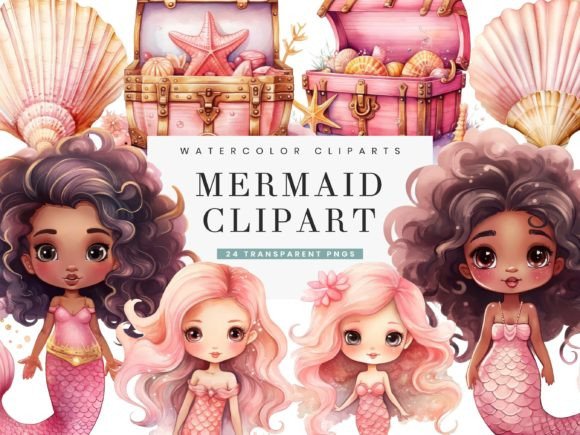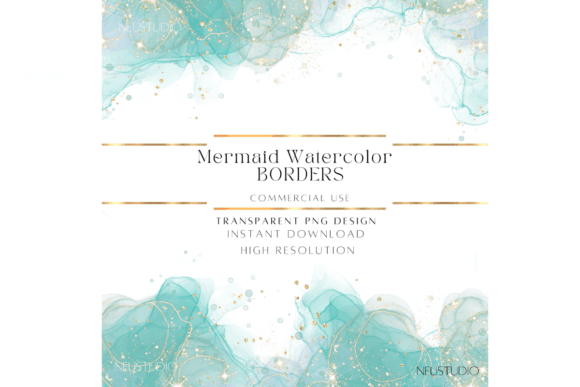
Mermaid Watercolor Borders Clipart PNG
There is a distinct magic in the way watercolor bleeds across digital paper, capturing the fluidity of the ocean and the whimsy of myth. For designers, creators, and small business owners, finding assets that balance artistic integrity with technical precision can be a challenge. This is where high-resolution Mermaid Watercolor Borders Clipart PNG files become an indispensable resource. These are not merely decorative frames; they are versatile design elements that bring a sense of movement, elegance, and fantasy to any project.
The specific appeal of these borders lies in their dual nature. They offer the soft, organic texture of hand-painted watercolors while providing the crisp, clean edges required for professional print and digital media. With sparkly details integrated into the design, these borders add a layer of sophistication and enchantment that flat vector graphics often lack. Whether you are crafting a wedding invitation suite or designing a social media campaign, understanding how to leverage these assets can elevate your visual storytelling significantly.
The Technical Advantage of High-Resolution Assets
When selecting digital assets, resolution is paramount. The Mermaid Watercolor Borders Png ClipArt with Sparkly details described here are provided at an impressive 4000 px by 6000 px resolution and 300 dpi. This specification is critical for two primary reasons: print quality and scalability.
For print materials, such as flyers, posters, or high-end invitations, a lower resolution can result in pixelation or blurry edges, which undermines the perceived value of your work. At 300 dpi, these borders ensure that every brushstroke and every subtle sparkle remains sharp and defined, even when printed on larger formats. Furthermore, the transparent PNG format allows for seamless integration into existing designs. You are not working around a white box or a rigid background; you are layering art directly onto your canvas. This transparency is essential for maintaining the integrity of your underlying colors and textures, allowing for a cohesive final product.
Elevating Print Materials with Organic Elegance
Print design benefits immensely from the tactile feel of watercolor aesthetics. Even though the medium is digital, the visual result mimics the depth and variation of traditional paint. Here is how different creators can apply these borders effectively:
- Invitations and Event Stationery: For weddings, baby showers, or themed parties, these borders frame the essential information without overwhelming it. The mermaid theme suggests a coastal or fantasy motif, perfect for beach weddings or whimsical celebrations. Place the text in the negative space within the border, ensuring high contrast for readability.
- Valentine’s Day Crafts and Cards: Love and mythology often intersect in artistic expression. Using these borders for Valentine’s Day cards adds a unique twist to the traditional heart-centric designs. The sparkly details can mimic the glint of sunlight on water, creating a romantic and ethereal atmosphere.
- Marketing Collateral: Flyers and posters for spas, yoga studios, or boutique hotels can use these borders to convey relaxation and luxury. The watercolor texture suggests calmness, while the mermaid element adds a touch of exotic allure.
When using these borders in print, always consider the paper stock. A textured paper can enhance the watercolor effect, making the digital print appear even more authentic. Conversely, a glossy finish might highlight the sparkly details, adding a literal shine to the design.
Digital Applications and Web Design
In the digital realm, versatility is key. The same Mermaid Watercolor Borders Clipart PNG files can transform online presence, offering a consistent brand aesthetic across various platforms. The high resolution ensures that they look crisp on retina displays and large monitors alike.
Social Media Branding
Social media platforms like Instagram and Twitter rely heavily on visual consistency. Using a watercolor border as a frame for your posts can create a recognizable signature style. For instance, you can place product photos, quotes, or announcements within the border. The transparent background allows you to change the backdrop color to match seasonal campaigns or specific post themes while keeping the border constant. This creates a cohesive grid layout that is visually appealing and professionally curated.
Website Elements and Banners
A watercolor background can add significant visual interest to a website without slowing down load times, provided the images are optimized. You can use these borders as banner images for header sections, breaking up blocks of text with artistic flair. Alternatively, use them as background elements for individual pages or sections, such as an "About Us" page or a testimonial section. The organic shapes of the watercolor help to soften the rigid structure of web layouts, making the user experience feel more inviting and less corporate.
Digital Art and Illustration Base
For digital artists, these borders serve as more than just frames; they are foundational layers. You can use the watercolor texture as a base for digital paintings or illustrations. By adding your own elements on top of the watercolor texture, you create unique artwork that blends traditional media aesthetics with digital precision. This technique is particularly useful for creating book covers, editorial illustrations, or concept art where mood and atmosphere are crucial.
Creative Strategies for Consistent Design
To ensure your use of Mermaid Watercolor Borders Png ClipArt remains effective and professional, consider the following design principles:
- Balance and Negative Space: Watercolor borders are often intricate. Ensure there is enough negative space within the frame for your text or main subject. Crowding the design diminishes the impact of both the border and the content.
- Color Harmony: While the borders have their own palette, adjust the saturation and brightness of your other design elements to harmonize with them. If the border features cool blues and greens, avoid clashing warm tones unless intentionally creating contrast.
- Layering Techniques: In software like Photoshop or Procreate, use blending modes to integrate the border more naturally with your background. Modes like "Multiply" or "Overlay" can help the watercolor texture interact with underlying layers, creating a more unified look.
- Typography Selection: Pair these organic, flowing borders with fonts that complement their style. Script fonts can enhance the elegant, hand-painted feel, while clean sans-serif fonts can provide a modern contrast that improves readability.
Adapting for Different Audiences
The beauty of these assets lies in their adaptability. Educators can use them to create engaging classroom materials or certificates, adding a touch of fun to learning resources. Freelancers can incorporate them into client proposals or portfolios to showcase creativity and attention to detail. Publishers might use them for chapter headers or book endpapers, adding a subtle thematic element to literary works.
For entrepreneurs and small business owners, these borders offer a cost-effective way to maintain high-quality branding. Instead of commissioning custom illustrations for every project, having a library of high-resolution, versatile clipart allows for rapid production of marketing materials without sacrificing aesthetic quality. The key is to use them consistently, establishing a visual language that your audience recognizes and associates with your brand.
In conclusion, Mermaid Watercolor Borders Clipart PNG files are more than just decorative additions; they are powerful tools for visual communication. By understanding their technical specifications and exploring their creative potential, you can enhance both print and digital projects with elegance and artistic flair. Whether you are designing a heartfelt Valentine’s card or a professional website banner, these assets provide the foundation for compelling and memorable designs.